What changed: Updated 18 August 2026: added an ordering for optimisation work by quality risk rather than by size, since the largest line item is rarely the safest place to start.
The Cost Challenge
AI agent workloads are expensive. Between GPU compute for inference, persistent storage for agent state, and network costs for API calls, monthly bills can escalate quickly—especially as you scale from a handful of agents to hundreds or thousands.
The opportunity usually comes from infrastructure designed for peak load and never revisited against actual usage. The strategies below should be evaluated against your own utilization, reliability objectives, and cost-allocation data rather than a universal savings target.
Right-Size Your Compute
Most agent workloads are over-provisioned. Teams allocate based on worst-case estimates, then never revisit. Start by measuring actual CPU, memory, and GPU utilization across your agent fleet.
Compare requested capacity with high-percentile utilization for each workload class. Right-size only after observing representative peaks, and retain a tested safety margin that reflects startup behavior, burst patterns, and service-level objectives.
For GPU workloads, consider whether you actually need dedicated GPUs. Many inference workloads can run on shared GPU instances or even optimized CPU instances with quantized models.
Use Spot and Preemptible Instances
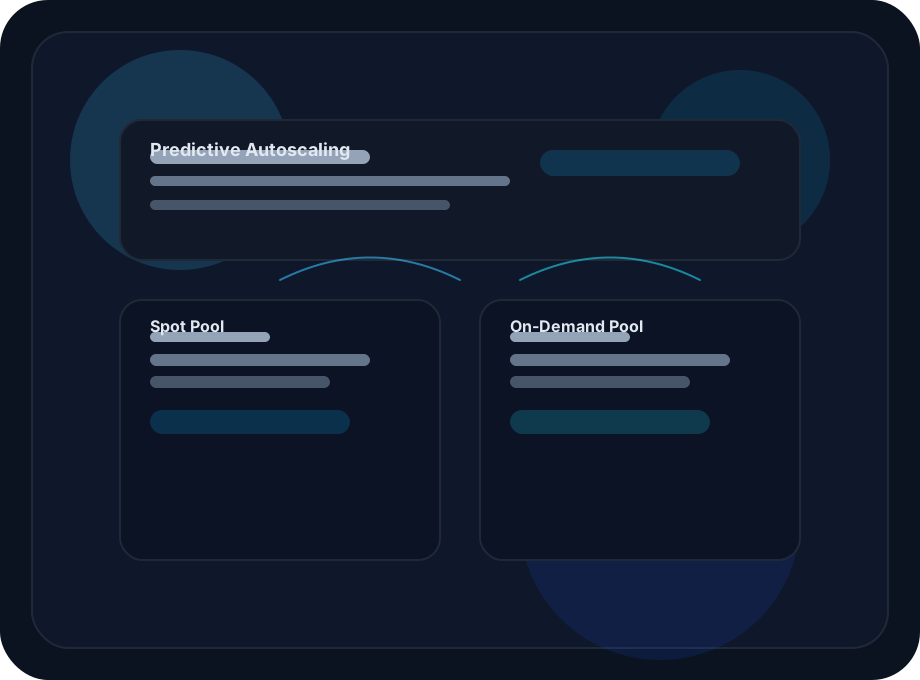
Spot and preemptible capacity may be cheaper than on-demand capacity, but pricing, availability, and interruption behavior vary by provider, region, and instance type. For agent workloads, the trade-off can be acceptable when interruption is an explicit design condition.
The key is graceful handling of preemption. When a spot instance is reclaimed, your agent needs to save its state, release connections, and either reschedule on another instance or queue for retry. Kubernetes makes this manageable with pod disruption budgets and preemption handlers.
Not all agent workloads should run on spot. Customer-facing agents with strict latency requirements should use reserved or on-demand instances. Background processing, batch analysis, and scheduled reporting are ideal spot candidates.
Intelligent Scheduling
Not every agent task needs to run immediately. By classifying workloads into priority tiers, you can schedule lower-priority work during off-peak hours when compute is cheaper.
- Real-time: Customer-facing agents that need sub-second responses. Reserved capacity.
- Near-time: Internal agents that can tolerate 5-30 second delays. On-demand or spot.
- Batch: Reporting, analysis, and background processing. Schedule for off-peak, always spot.
Connection and Caching Optimization
MCP connections to external APIs often account for a significant portion of agent latency and cost. Implement connection pooling to reduce authentication overhead, and add response caching for frequently accessed data.
A bounded cache in front of read-heavy MCP connections can reduce repeated external calls and latency. Measure hit rate, freshness requirements, tenant isolation, and invalidation behavior before treating cache savings as durable.
Auto-Scaling with Cost Awareness
Standard auto-scaling responds to load, but cost-aware scaling also considers the price of the resources it provisions. When scaling up, prefer the cheapest available instance type that meets your performance requirements. When scaling down, prioritize releasing the most expensive instances first.
Combine this with predictive scaling—using historical patterns to pre-provision capacity before demand spikes—and you can avoid both over-provisioning and the cost of urgent on-demand scaling.
Measuring Success
Track cost per completed, successful workflow as the primary unit-economic metric, with cost per agent-hour as a supporting infrastructure measure. Pair cost with latency, retry rate, human-review effort, and output quality so an apparent saving does not conceal degraded outcomes.
Order the work by risk, not by size
Most cost programmes start with the largest line item, which is almost always the model on the customer-facing response — the change with the highest quality risk and the longest argument attached. Sorting by risk instead usually finds more money and less disagreement.
| Tier | Examples | Evaluation needed |
|---|---|---|
| 1. No quality risk | Shrinking what a tool returns; fixing a prompt-cache prefix broken by a volatile value; removing a duplicate call; deleting a step that never changes the answer. | None. There is nothing to trade off. |
| 2. Bounded risk | Moving a classification, extraction or guardrail step to a cheaper model. | An acceptance test on one isolated step. |
| 3. Real risk | Changing the model on the final customer-facing response. | A held-out evaluation and a staged rollout. |
| 4. Structural | Redesigning the agent to take fewer steps; replacing dynamic planning with a coded workflow. | Highest ceiling, longest lead time, best planned against measured step counts. |
Tier 1 deserves the emphasis it rarely gets. In a tool-calling agent, a tool result is re-sent on every remaining iteration of the run that called it, so a tool returning an unfiltered API response is paid for repeatedly. Projecting that response down to the fields the agent actually reads improves the model's signal and lowers cost at the same time — one of very few changes in this space that does both.
Tier 4 contains an option people rarely consider: less planning. Many agents plan dynamically over a workflow whose shape is fixed. If the agent produces the same plan every run, that plan is a constant and a model is being paid to rediscover it. Making it a coded workflow with model calls only at the genuinely variable steps removes a failure mode rather than trading one away.
And a caution that applies across all four tiers: measure against accepted outcomes rather than calls. A change that lowers cost per call by 40% while raising the human correction rate can raise the cost of a delivered result, and a cost dashboard alone will report it as a success.
Where to go deeper
- Find your most expensive LLM calls — produce the ranked list before choosing a tier.
- Which agent steps need a frontier model — the three properties that predict a safe substitution.
- Is a cheaper model good enough? — the acceptance test tier 2 and tier 3 depend on.
- One request, many model calls — why step count is the lever tier 4 pulls.
Questions people actually search for
- how do I reduce ai agent costs
In risk order, not size order. First the changes with no quality trade-off — smaller tool results, a repaired cache prefix, removing steps that never change the answer. Then cheaper models on isolated classification and extraction steps, behind an acceptance test. Only then the customer-facing response. The first tier usually contains more money than teams expect and requires no evaluation at all.
- does prompt caching reduce llm costs
Substantially, for workloads with a large stable prefix — which describes almost every tool-calling agent, since each iteration re-sends the system prompt and every tool schema. The common failure is something volatile at the front of the prompt: a timestamp, a request ID, a per-user greeting. Diff the rendered prompt across two consecutive requests, not the template, and check current provider documentation for cache lifetime and minimum prefix rules.
- is a cheaper model always cheaper
No. If a cheaper model picks the wrong tool more often, each wrong pick costs the call, the tool result, and at least one more iteration carrying everything before it. Selection errors are amplified by the same context growth that makes agents expensive in the first place, so a per-token comparison can recommend the more expensive option.
- how much can model routing save
It depends entirely on your traffic mix, and that mix is measurable before you commit to anything. Routing pays where a large share of calls do work that does not need the strongest model, and pays little where most calls are open-ended generation. Running the router in shadow mode gives you the answer for your own traffic without changing what a customer receives.